IconquerUI: Building a Cross-Platform Swift UI Library from the Ground Up
iConquer
3 min read
A solo developer shipped a multi-platform Swift UI component library targeting macOS, iOS, tvOS, and visionOS in under four weeks, releasing v0.1.0 as a foundation for the broader Iconquer ecosystem.
Problem
Modern Swift applications increasingly need to run across Apple’s full platform spectrum — Mac, iPhone, Apple TV, and Apple Vision Pro — without maintaining separate UI codebases. For the Iconquer app, this fragmentation posed a real challenge: how do you build UI components that feel native and appropriate on each platform while keeping the underlying logic unified and testable? The answer was to extract UI concerns into a dedicated package, IconquerUI, purpose-built for cross-platform consistency from day one.
Approach
The project was structured as a Swift Package Manager library targeting Swift Tools version 6.2, the current frontier of Swift’s concurrency and strict-mode capabilities. Rather than bolting on platform support later, the package manifest was written from the start to declare explicit support for macOS, iOS, tvOS, and visionOS — a decision that forces architectural discipline early, since any platform-specific assumption surfaces immediately as a build error on the unsupported targets.
The package exposes two targets: IconquerUI, the library itself, and IconquerUITests, a dedicated test target. This separation signals an intent to treat the UI layer as a verifiable unit rather than a collection of visual intuitions. The single-repository, single-contributor structure kept decision-making tight and iteration fast across the four-week development window.
Results
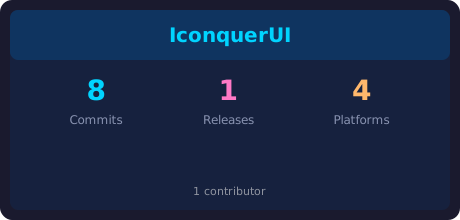
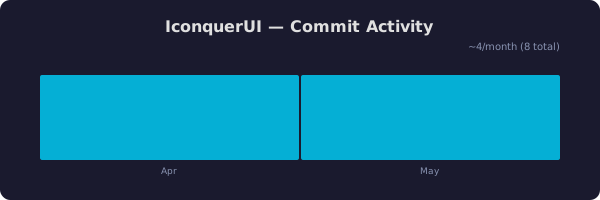
Over 27 days — from the first commit on April 10, 2026 to the most recent on May 7, 2026 — the developer moved from an empty repository to a tagged release: IconquerUI v0.1.0. Eight commits mark a disciplined, incremental build rather than a single large dump of code. The package is live, versioned, and consumable by the parent Iconquer application or any downstream Swift project that declares it as a dependency.
The test target shipped alongside the library itself, meaning the v0.1.0 release is not just functional code but testable code — a meaningful distinction for a UI package where regressions can be subtle and platform-specific.
Judgment Calls
Targeting visionOS from the start. It would have been easy to treat visionOS as a future concern. Instead it was included in the initial platform matrix alongside iOS, macOS, and tvOS. This is a bet that spatial computing is a first-class deployment target for Iconquer, not an afterthought — and structuring for it early avoids the painful refactoring that comes from retrofitting a platform into an already-settled component architecture.
Swift 6.2 toolchain. Adopting the leading-edge tools version means opting into Swift’s strictest concurrency checking. For a UI library that will be consumed across asynchronous rendering contexts on multiple platforms, this is the right kind of early pain — catching data-race hazards at compile time rather than in production.
Library over framework. Packaging this as a Swift library rather than a standalone framework keeps it lightweight and composable. Consumers get what they need without carrying unnecessary overhead, and the package remains easy to audit and extend as the Iconquer product evolves.
Separating UI from app logic in the repository structure. The name IconquerUI against the broader IconquerApp path suggests a deliberate layering: the application shell lives in one place, the reusable interface primitives in another. Even at v0.1.0, this boundary is worth establishing — it’s the difference between a project that scales and one that becomes a monolith.

Tagged with: iConquer, selfReflection